
Francesc Sánchez


Improving access to our web content for all kinds of people is a moral duty and also a business opportunity.
A website is considered accessible when ease of use is maximized for the vast majority of the population, regardless of their physical, personal or technical abilities.
Because of the traditional use of this concept, it is usually associated only with adapting websites for people with visual or hearing impairments, but today the focus goes much further and all kinds of audiences and situations are taken into account. Think about different scenarios:
This deepening of the concept of web accessibility has come about mainly as a result of the pandemic, during which internet access and usage increased exponentially, and in that context many accessibility shortcomings in digital platforms became evident. Public administrations, especially in Europe, have become more aware of this situation and have taken action to improve the web accessibility of government sites (still a long way from being achieved here), or, for example, by linking public grants to the requirement of having accessible websites. One of the requirements for websites created with Kit Digital funds, for instance, is to prove their accessibility.
Today we can consider web accessibility as one of the disciplines included within user experience, and it should be a key item in any UX audit.
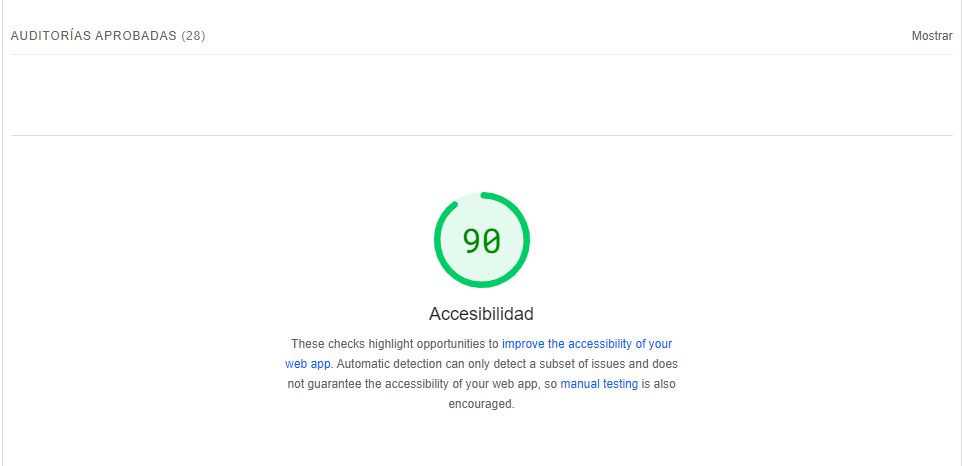
There are many tools and online resources to measure the accessibility of web pages. First of all, as always, we recommend using those that Google provides. You will find an assessment of your accessibility both in PageSpeed Insights and in the Lighthouse report for Chrome:
One option to analyze accessibility in more depth is the well-known Wave, which provides a very complete report and also gives us hints on how to improve:

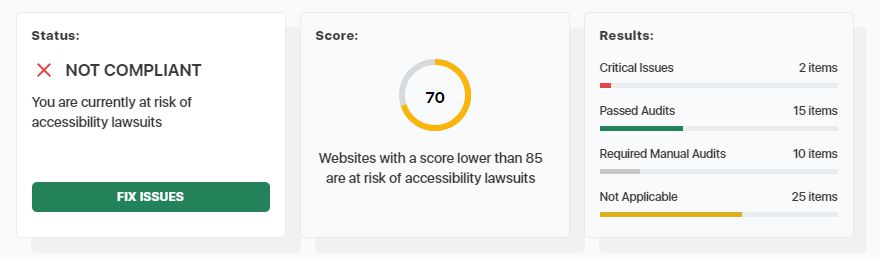
An alternative, perhaps less exhaustive but very visual and clear, is Accesibility Checker. It includes configuration based on your location, a very visual score and the option to download its audit:
And in terms of documentation, as always, we recommend checking Google’s official documentation, which has a section on web.dev dedicated to web accessibility. Google uses the Web Content Accesibility Guidelines (WGAG 2.0) as a reference. In addition, to check whether we meet Google’s accessibility standards, they recommend using this checklist from WebIAM.
In most cases it is about applying empathy and common sense. In any case, some measures we can implement, for example:
We can implement these actions manually, or we can rely on external applications and tools.
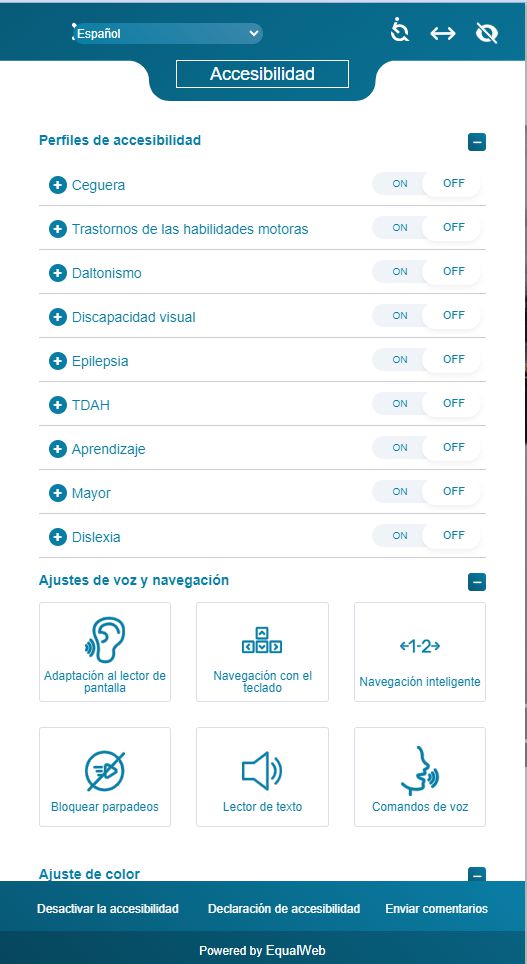
Here too we have many options. Equalweb is probably the best-known and most highly regarded one (you have almost certainly come across it on some of the sites you browse), but it is a paid solution and we will not always be able or willing to invest in this kind of tools.
It works as follows: when we access a website that uses this tool, we see an icon that opens a pop-up where we can configure our accessibility profile and, based on that, it adapts the web content:
If you use WordPress, there are several free plugins available for this CMS and, although they do not cover every possibility and sometimes fail, they are always better than not implementing anything at all. The best-known is ONE click accesibility, but it is not the only one.
Web accessibility is something we should pay far more attention to on the sites we create or own. Look around you and you will see how many spaces or content have been adapted for people who previously had difficulty accessing them. We must bring this process to our websites as well, so we can make them accessible to all audiences, without distinction.
This should already be a strong enough argument, but if you are still not convinced, we can reinforce it with more:

Hello! drop us a line


Improving access to our web content for all kinds of people is a moral duty, and also a business opportunity.