
Francesc Sánchez


As SEOs, using and optimizing structured data for Google is essential, but it is also highly recommended to work on web data markup for social networks. Today we talk about Open Graph, the most important one — and nowadays its use has become essential.
Open Graph (OG) is a type of markup created by Meta to define how web content appears when shared on social networks.
Today, besides the entire Meta ecosystem (Facebook, Instagram, WhatsApp), it is also used by Linkedin, Discord and many other platforms, becoming a standard and key reference for social data markup, much like Schema is for Rich Snippets.
The list is constantly evolving as web content and markup needs change. These are the most basic ones, although many more tags exist:
For proper reading, these must be placed inside the HTML head. You can implement them:
Here’s an example using our SEO service landing page:

In this case we use url, type, title, description and image. These cover the basics, but we could expand with site_name, locale, or even video. As with Schema for Rich Snippets, the more markup, the better.
There are several online tools to validate Open Graph markup, but we recommend Meta’s own Sharing Debugger (shared content debugger).
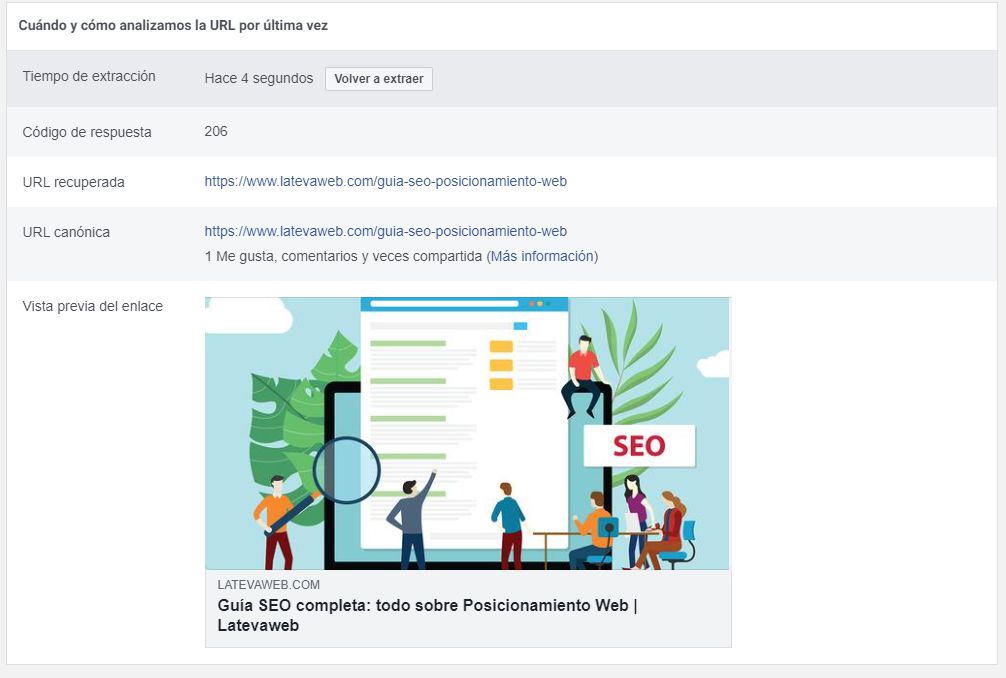
We tested it with our SEO guide, and it returned this:
Facebook shows the information it has stored: canonical URL, social signals and the preview of a potential share.
Note the extraction time: it tells us when the last crawl was performed. If changes were made, click “Scrape Again” and the crawler will fetch live data. We tested it by modifying the title, and it updated instantly:
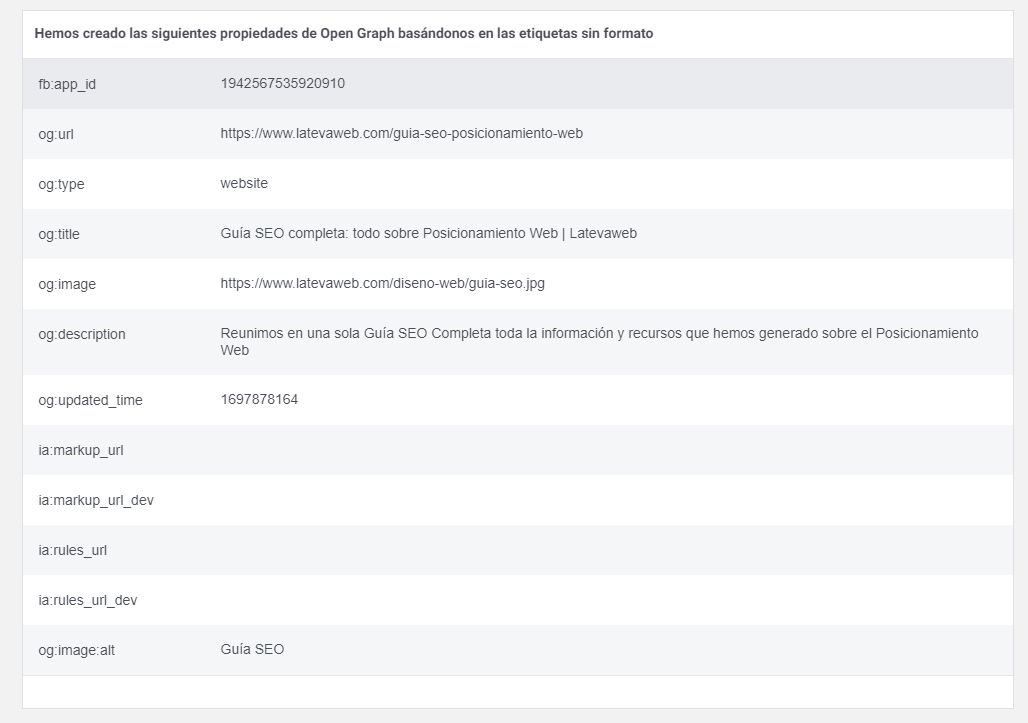
Further down, the tool lists all detected og: attributes, helping you optimize or complete missing ones.
Unfortunately, Open Graph is not the only markup system for social networks. Some platforms do not accept all OG parameters and use their own standards. This is the case for X, which uses its Twitter Cards.
Social networks are a key tool for content sharing. Users can share our website freely. Correctly implementing Open Graph ensures that shared content looks clear and attractive, helping increase CTR towards our site. Therefore, even if it’s not a classical SEO task, it is highly recommended for optimizing any web project.


Hello! drop us a line

Master how your website’s content is displayed when shared on social media, with Open Graph.